
Everything about import in Siffer
Siffer's smart import lays the foundation for working efficiently. Here you'll find everything you need to know about the import feature.
Supports every bank
You can load bank statements from every Norwegian bank into Siffer, without needing to alter the file before import. You can use Siffer no matter which bank you work with.
Which files can I upload?
You can import bank statements in the following formats:
- CSV
- XLS
- XLSX
Does the file need to be modified before import?
No. The import feature in Siffer is smart and understands which rows should be imported. So you don’t need to edit the bank statement before importing. The only thing Siffer needs help with is understanding which columns to import.
See how it works
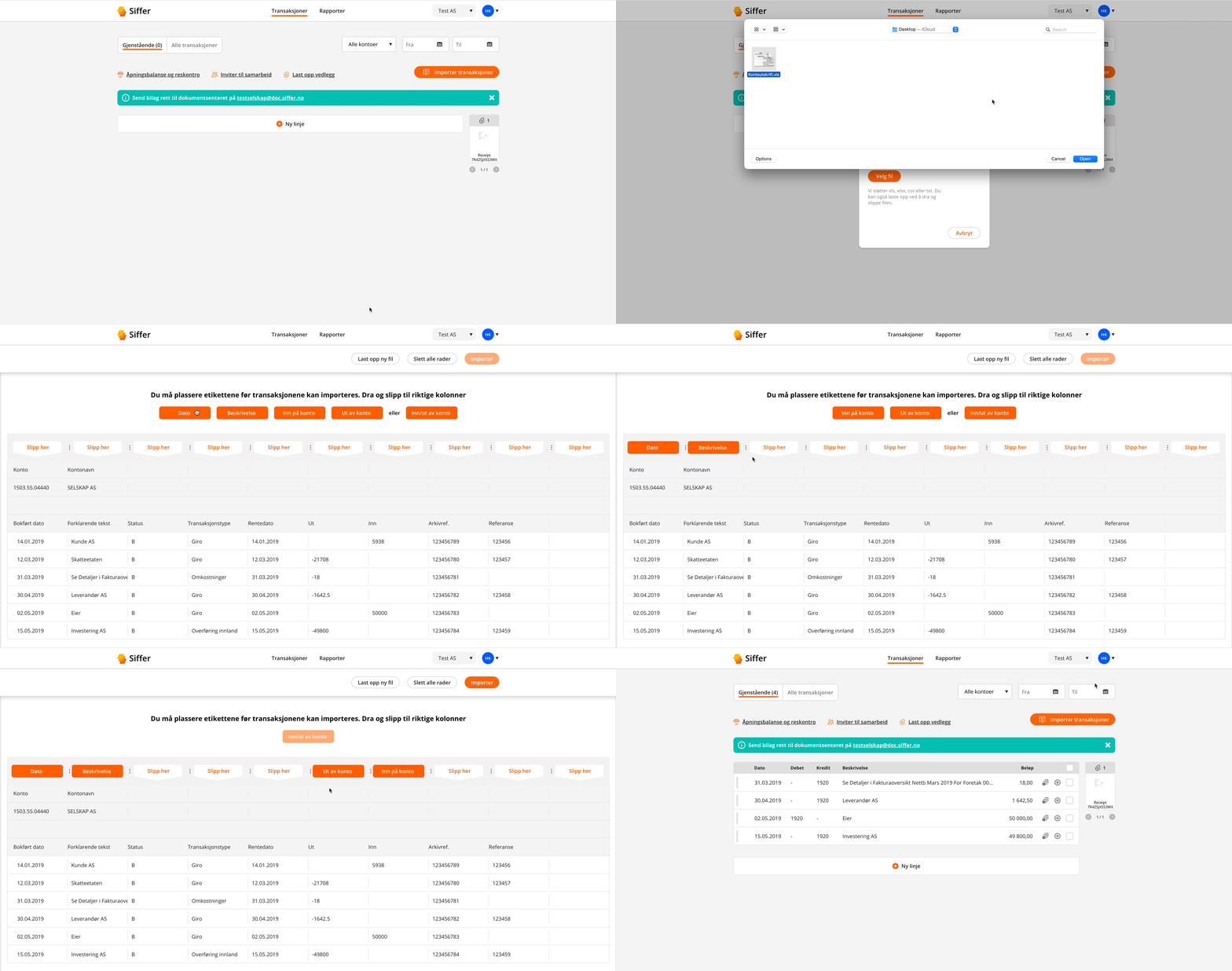
Siffer only imports transactions (white) and automatically leaves out data from the bank statement that isn’t relevant (grey).
Importing from Excel was a breeze. Mapping the columns with drag-and-drop was a really smart solution. The transactions were imported correctly, and then all that was left was the posting.
– Are Lind, accounting consultant at Nimbus Regnskap

Can I upload multiple periods?
Of course! You can upload as many bank statements as you want, and you decide the time interval for the import yourself.
See also: How Siffer works
What happens if I import the same transaction multiple times?
Siffer recognises and ignores duplicates automatically. If a transaction you import has an identical date, description and amount to an existing transaction, Siffer won’t import it. It’s important to note, however, that if you’ve changed the date, amount or description on the existing transaction, Siffer won’t be able to recognise that it’s a duplicate.
We designed the import feature so users wouldn’t have to massage their spreadsheets before import. Siffer interprets the file and makes sure unnecessary data doesn’t get imported.
– Just Heide, product manager at Siffer
Can I import multiple bank accounts?
Of course! You decide which general ledger account (or sub-ledger) you tie the transactions to when you run an import. In Siffer you can set up as many bank accounts as you want.
What about internal transfers?
If you import bank statements from two different bank accounts with internal transfers, both will be recorded, but you can easily delete one of the two transactions in Siffer without messing up the books. It’s very easy to spot duplicate transactions in Siffer, as they end up below one another.
Can I import other transactions in Siffer?
Yes! You can also import other lists of transactions. Siffer makes it super easy to record securities trades. With a little tweaking of the Excel file, you can import:
- VPS
- Nordnet
To capture all the necessary information, you may need to merge some columns in the Excel file so you include the company name, order volume and type of trade. If you have questions or suggestions for improvements, you’re welcome to get in touch with us.