
Smart-KID
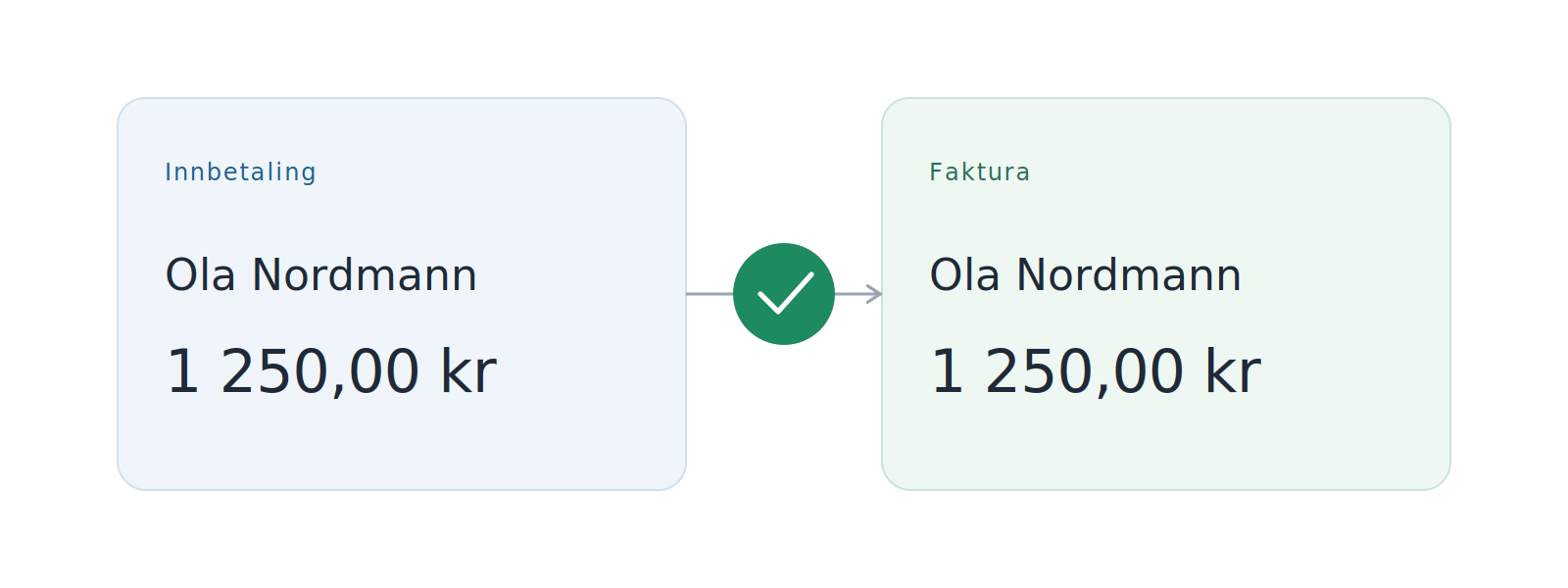
Smart-KID automatically recognizes incoming payments and matches them with the right invoice – without you having to set up a KID agreement with the bank.
Background
Traditionally, KID (the Norwegian customer identification number, similar to OCR/reference numbers) has been the way to ensure that incoming payments automatically end up on the correct invoice. It requires a KID agreement with the bank, which often has startup costs, monthly fees, and per-transaction fees. For many smaller businesses, it is either unnecessarily complicated or simply more expensive than it is worth.
Smart-KID does the same job inside Siffer instead of at the bank.
How it works
When a payment arrives in your bank account, Siffer compares it with your open invoices on three points:
- Sender – who has paid
- Amount – what was paid
- Date – when the payment arrived, relative to the due date
If these match an open invoice closely enough, the payment is automatically registered against it and the invoice is marked as paid. This happens the moment the transaction is synced from the bank.
What you get
- No setup. The feature is active the moment you’ve connected your bank. You don’t need to configure anything.
- No bank agreement. You avoid having to sign – and pay for – a KID agreement. Such agreements typically include a setup fee, a monthly fee, and a per-transaction fee.
- No extra cost from Siffer. Smart-KID is included in every subscription.
- Requires nothing from the customer. A perfectly normal payment with your account number is enough – the customer does not need to provide a reference number.
When Smart-KID can’t match
Sometimes Siffer doesn’t have enough information to determine which invoice an incoming payment belongs to. The most common cases are:
- Multiple open invoices with the same amount to the same customer within the same time window.
- The sender name differs significantly from what’s on the invoice, e.g. when a private person has paid on behalf of a company, or vice versa.
- The payment arrives long before or long after the due date.
In these cases, the payment is placed in the list of transactions so you can match it to the correct invoice manually. It usually takes only a few seconds.
Tips for the best accuracy
- Use the same company name on the invoice as the customer is registered with at the bank.
- Set clear due dates – payments near the due date are matched more easily.
- If a customer has multiple invoices for the same amount open at the same time, consider merging them into a single invoice.